First try a longer pickup time
A pause says no to every order. A longer time says yes, later. If the kitchen can still cook, only not now, tell each caller a pickup time you can really keep: 45 minutes instead of 20. Many callers will wait if they hear it before they order, not at the counter.
- Look at the tickets on the rail, not the clock.
- Give one time to every caller, and change it when the rail clears.
- Write the time next to the phone, so everyone says the same.
When a real pause is better
- You can't keep any pickup time you would dare to say.
- A cook went home, a fryer or an oven stopped.
- The dining room is full and tables are waiting for their food.
- You are out of the dishes most callers order.
How to pause phone orders with any phone, step by step
- Name one person who decides. Usually whoever runs the pass. Everyone else follows.
- Choose an end time now. Write "no phone orders until 7:30" on a note next to the phone.
- Tell the team the sentence. Use the words below, so every caller hears the same.
- Keep answering. Take messages, answer questions about hours and the menu, and note booking requests.
- If nobody can answer, change the voicemail. Record a rush greeting that says when to call back.
- Slow the apps too. A phone pause alone won't help if the tablets keep ringing. See Uber Eats busy mode.
- Turn it off. When the end time comes, take the note down and put the old voicemail back.
What to tell callers
When you answer: "Thanks for calling Rosa's Kitchen. The kitchen is full right now, so we can't take phone orders until about 7:30. Can we answer a question, or would you like to call back then?"
On the voicemail: "Thanks for calling Rosa's Kitchen. We're not taking phone orders right now. Please call back after 7:30. For anything else, leave your name and number and we'll call you."
The name and the times are examples: use your own. More greetings: 5 restaurant voicemail examples.
Mistakes to avoid
- Letting it ring out. The caller doesn't know if you are busy or closed.
- "Call back later" with no time. Give a time, even a rough one.
- A pause with no end. Somebody has to remember it at the busiest hour of the week.
- Saying closed when you are open. People believe it, and don't come in.
Too busy to cook one more order? Pause it. Your phone still answers.
This is how it works with our phone assistant.
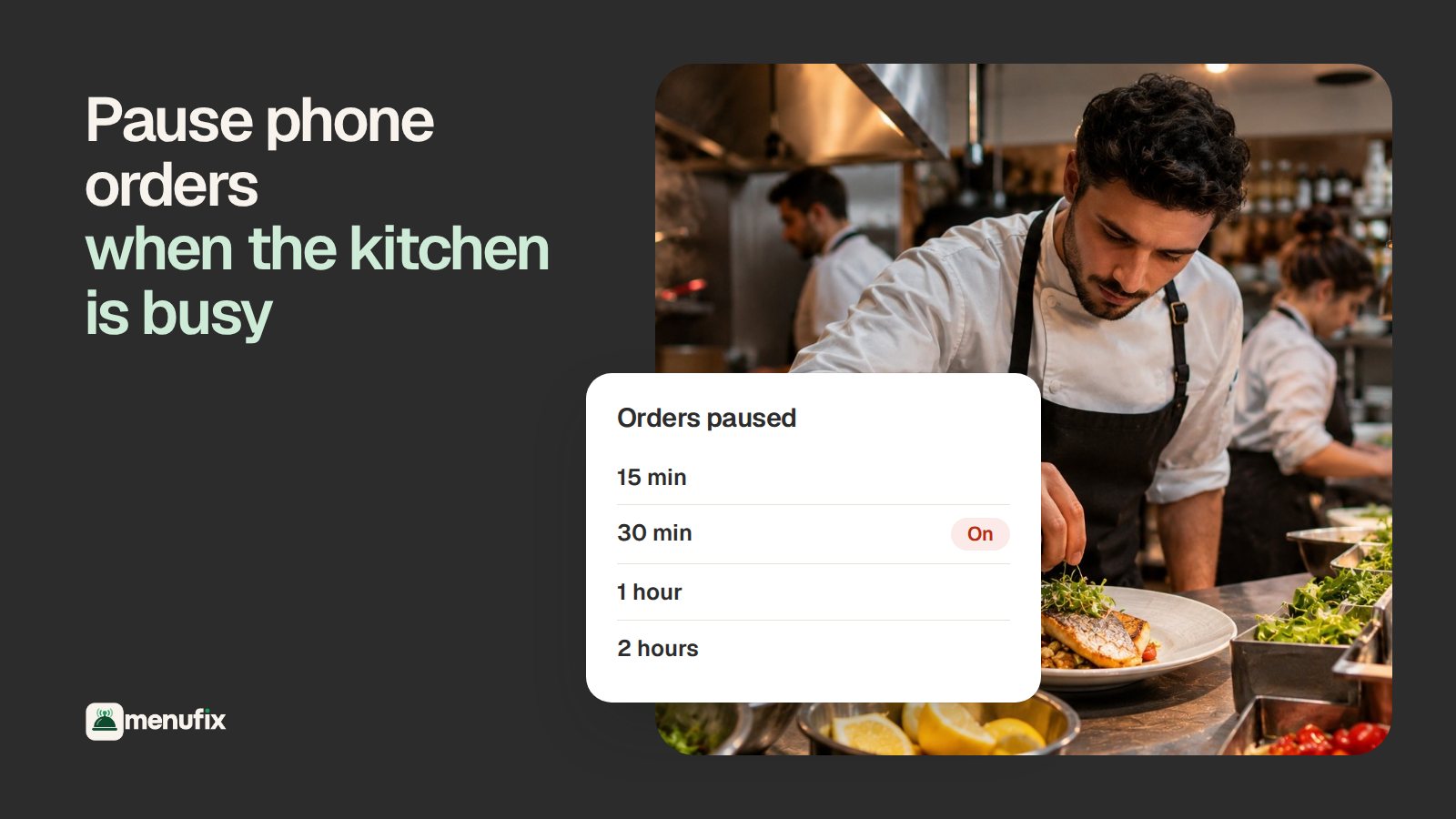
- One tap. You or your staff pause orders in the portal, from any tablet, phone or computer, even from home.
- It ends by itself. Choose 15 minutes, 30 minutes, 1 hour, 2 hours or until you change it.
- Callers still get answers. It answers questions about your menu, prices and hours, tells callers to call back in about 15, 30, 45 or 60 minutes (you choose), or takes a message.
- Or a longer ready time. Set 10 to 60 minutes, and that can end by itself too.
- Staff have their own log in. They accept orders, print, mark a dish sold out, change the ready time and pause. They can't change prices, settings or billing.
It is for restaurants in the United States for now: 7 days free on your real line (up to 100 calls), then US$149 a month for up to 300 calls.
What other AI phone services say about a busy kitchen
From each company's own website, read on 23 November 2026. Kea says you can turn ordering off while the assistant keeps answering questions about the menu and hours. Maple's help pages say to set its assistant to tell callers you are busy, give a wait and suggest calling back in 10 to 15 minutes. If a service doesn't publish this, ask them: what does a caller hear, who can turn it on, and does it turn itself off? The whole table: AI phone answering for restaurants in 2026.
Hear ours first
Type your restaurant's name on our free demo page and your own assistant calls you back as your restaurant, with your real menu and prices, in about a minute. Then you decide. Everything it does is on our AI phone assistant for restaurants page. And if you also sell on Uber Eats, our free Uber Eats page check shows what to fix first on your page.